Is VR bad for you? Brief use has not been shown to harm children, and ophthalmologists see no reason to fear damage to eye development, but cybersickness, eye strain and privacy are real concerns. First decide who will wear the headset.
Age, susceptibility to motion sickness, session length and online features each change the advice. Work through the decision list below, then follow the link for the area that matches your situation. For the physical set-up of a play area, the guide to vr safety tips goes into more detail than this overview.
Start with who will wear the headset
The most useful first question is not whether VR is safe in general but whether it is suitable for this person, in this room, doing this activity. The answer changes sharply between a young child, a teenager and an adult, and it changes again for anyone who already knows they get sick on boats, buses or fairground rides. Use the list below to find your starting point.
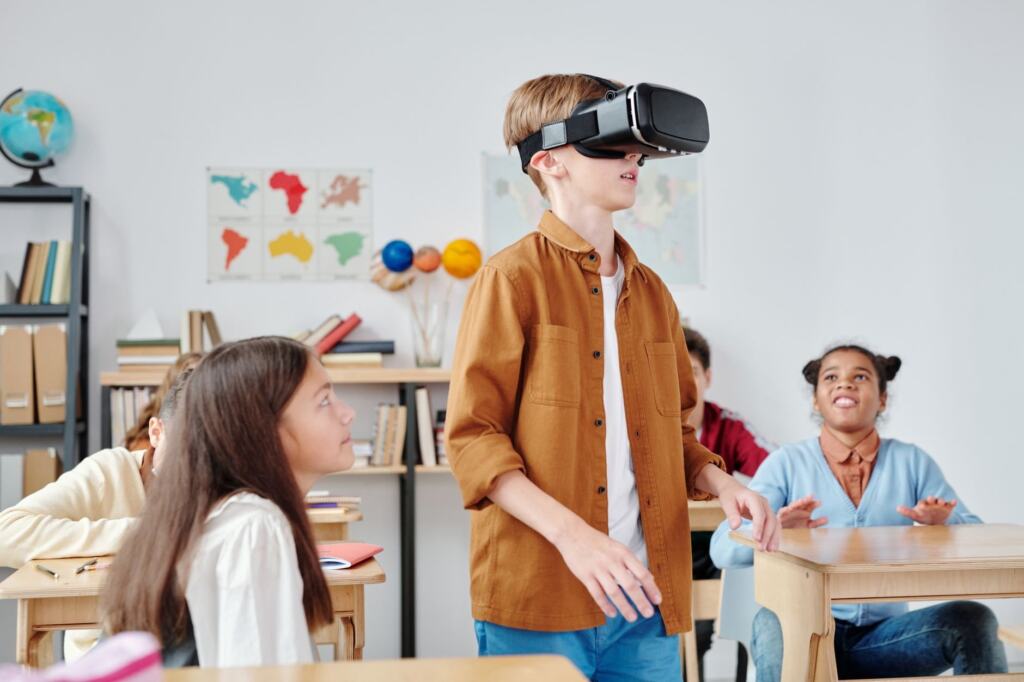
- A child under 12 or 13: most headset makers say VR is not suitable for children under that age. Start with the age guidance section below, and read is vr safe for kids for the parent-focused version.
- An older child or teenager: the maker’s age limit no longer rules VR out, so the decision shifts to supervision, content ratings, time limits and who they can talk to online.
- An adult who gets travel sick: expect VR sickness to be a live possibility and read the motion sickness section before buying or committing to a long session.
- Anyone who wears glasses or has an eye condition: the eyes section explains why glasses stay on and who may notice more headaches or fatigue.
- Anyone who will use chat, avatars or shared worlds: privacy is the main issue. Go straight to the privacy section.
- Anyone with a medical condition that carries a specific warning: check the manufacturer’s notices and the guide to vr headset health warnings before the first session.
These branches share a common logic. VR is not a single risk but a bundle of small, separate ones: physical (tripping, bumping), sensory (nausea, eye strain), social (strangers, harassment) and informational (data about you). A healthy adult in a cleared room using a single-player title for a short time sits at the low end of nearly all of them. A child in a crowded living room using a social app sits at the high end of several at once. Most of the practical advice that follows is about moving yourself or your family towards the low end.
Children, age ratings and supervision
For children, the headline condition is age: the makers’ own guidance sets a floor, and the evidence on short exposure is reassuring but does not stretch to unlimited use.
What headset makers say about minimum age
The American Academy of Pediatrics notes that most VR headsets state that VR use is not suitable for children under the age of 12 or 13. The American Academy of Ophthalmology repeats the same point, saying that most manufacturers say the device is not suitable for children under age 12 or 13. Parenting guidance aimed at families gives the same threshold, putting it at about 12-13.
Two things follow. First, the limit is a manufacturer’s instruction, not a medical finding that harm begins on a particular birthday, so it is best read as the makers’ stated product guidance. Second, because it is a stated condition of use, a headset given to a younger child is being used outside what the manufacturer recommends. If you own a headset from Meta or another maker, check the age guidance in the box and the account terms rather than relying on a general rule of thumb, because the exact wording belongs to each maker.
Age guidance for the headset is separate from age ratings for individual games and apps. The AAP points out that rating systems such as ESRB or PEGI provide guidance on specific titles. In practice that means two checks for an older child: is the child old enough for the hardware, and is the particular title rated for them? Passing the first test does not settle the second. A child who clears the headset’s age floor can still be too young for a violent or intense title, and the rating on the store page is the quickest filter.
What the evidence says about children’s eyes
Parents often worry first about eyesight. The AAP states that brief exposure to VR has not been shown to cause harm in children, and it describes a study of 50 children aged 4 to 10 that found no clinically significant changes in visual development. The American Academy of Ophthalmology goes further on the question of development, saying that ophthalmologists agree there is no reason to be concerned that VR headsets will damage eye development.
That is genuinely reassuring, but read its limits carefully. The wording is about brief exposure, and the study group is small and the age range goes down to ages the makers say should not use headsets. Absence of shown harm from short use is not a finding that long daily sessions are harmless, and it should not be turned into a green light for unlimited time. The sensible reading is that a short, supervised session for an older child is not a cause for alarm on eye-development grounds, while the age guidance and the time limits still apply. The wider eye question, including strain and fatigue, is covered in the eyes section and in is vr bad for your eyes.
Supervising a young or older child
Supervision matters for a plain physical reason. One parenting guide notes that children may be more prone to tripping or hurting themselves while wearing a VR headset. A child cannot see the room, and enthusiasm tends to override caution. An adult in the room, a cleared floor and a short first session are a better start than handing the headset over and leaving.
The AAP’s advice for families is to implement time limitations and regular breaks into VR sessions. VR time is easiest to manage when it sits inside the household’s existing rules rather than being a special case, so it is worth reading the broader guidance in Screen Time Rules For Kids: Practical, Age‑Friendly Limits Parents Can Use In 2026 – Viarama and deciding where headset time fits.
If the child is under the maker’s age floor, the better choice is usually to wait and pick a screen-based game with a suitable rating. If the child is old enough, set expectations before the first session: who is in the room, how long it lasts, and which apps are allowed.
VR motion sickness and cybersickness
Yes, VR can cause motion sickness. The effect is usually called cybersickness, and it is a common reason people stop using a headset.
What it feels like and how long it lasts
The AAP describes cybersickness as nausea, dizziness, or disorientation during and shortly after using VR, and adds that it normally fades when VR use is stopped. A science magazine reports that many people report headaches, eye strain, dizziness and nausea after using the headsets, although that report gives no rate, so it describes a pattern of complaints rather than how many users are affected.
The practical points are the timing and the recovery. Symptoms can continue for a short while after the headset comes off, so do not judge how you feel the instant you stop, and do not plan to drive or do anything demanding immediately afterwards. Because the effect normally fades once use stops, it is an unpleasant but usually temporary reaction rather than a lasting injury. A full explanation of causes and remedies sits in the guide to vr motion sickness.
Who is most likely to be affected
The American Academy of Ophthalmology offers a simple self-test: if you get motion sick on rides, you’ll likely be susceptible to virtual motion sickness as well. That is a useful screening question before a purchase, and a better guide than a headset’s specifications. Someone who has never had trouble on a ferry or a roller coaster is in a different position from someone who reaches for the sick bag on a winding road.
It also tells you what kind of buyer should be cautious. If you are prone to travel sickness, treat the first sessions as a trial: keep them short, choose the gentlest experiences available, and decide whether to keep the headset after seeing how your body responds. Someone with a history of sickness on rides who is buying a headset mainly for fast, locomotion-heavy games is taking the biggest gamble.
What to do when symptoms start
Because cybersickness fades when use stops, the first response is simply to stop. Take the headset off at the first sign of nausea, dizziness or disorientation rather than trying to push through, sit down, and let it pass. Pushing on tends to turn a mild feeling into a bad session and leaves you reluctant to try again.
If sickness keeps returning, treat that as information about the combination of person and experience rather than a personal failing. You may do better with shorter sessions, a different type of title, or a decision that VR is not for you. Not everyone has to adapt, and a headset that sits unused because it makes you ill is a poor purchase whatever the specification sheet says.
Eyes, headaches and glasses
Overall, VR is considered safe for the eyes, but prolonged use can cause problems. An eye clinic’s guide puts it this way: virtual reality technology is considered safe for your eyes, with the caveat that extended sessions can cause issues. The American Academy of Ophthalmology likewise says that prolonged use of digital screens, including VR, may cause eye strain or fatigue.
The sensible decision is to separate permanent damage from temporary discomfort. For healthy eyes the evidence supports expecting tired, strained eyes after long use, which usually settles with rest, rather than expecting lasting harm. That distinction should shape how you respond: tired eyes are a prompt to stop, not a prompt to panic.
Some people have more reason for care. The American Academy of Ophthalmology says users with amblyopia or strabismus may be more likely to experience headaches and/or eye fatigue. If you or your child has either condition, start with very short sessions and mention VR to your eye specialist at the next appointment.
On glasses, the guidance is direct: you should keep your glasses on while using a VR headset. Do not take them off to save space, and check that the headset you are considering can accommodate your frames comfortably, because a headset that does not fit over glasses will tempt you to remove them.
One research question remains open. Science Focus reports that the vergence-accommodation conflict, an effect associated with how headset displays present depth, is now under investigation for its long-term effects. Under investigation means unresolved: it does not mean harm has been shown, and it does not mean the matter is closed. For now it is a reasonable argument for moderation in session length, particularly for children, without being a reason to avoid VR altogether.
How long should you use VR?
There is no single session length that guidance treats as universally right, so the practical answer is built around breaks. The AAP recommends that users take substantial breaks (about 15 minutes) in between sessions. That is a recommended pause, not a ceiling on total use, and it should not be confused with a permitted maximum.
A second, more frequent habit comes from an eye clinic’s guidance, which describes the 20-20-20 pattern: every 20 minutes, take a 20-second break and look at something 20 feet away. It is a screen-comfort habit for tired eyes, and it works alongside the longer break between sessions rather than replacing it. Both are easy to apply with a kitchen timer or a phone alarm set before you put the headset on.
Three situations should push you towards shorter sessions:
- You are new to VR: keep early sessions brief while you learn how your body reacts, since sickness is the most common early problem.
- You are prone to motion sickness: shorten the session further and stop at the first symptom, because symptoms can persist shortly after use.
- A child is using the headset: agree the time limit before the session starts, so that ending it is not an argument.
For a longer treatment of session planning, see how long should you use vr.
Privacy, data and Meta
Privacy is the area where the question “is VR bad for you” has least to do with the body and most to do with what a connected device does with information about you. Headsets are internet-connected devices, so the same questions apply as with any smart gadget at home; the guide on Internet of Things Explained: How Connected Devices Work And Why They Matter In 2026 – Viarama sets out how such devices operate and why they matter.
On what a headset collects, the clearest supported point concerns social features. One parenting guide warns that there may be chat features, the ability to create bios or personas, and sharing features, each of which can expose personal data. Anything you type, say, upload or put in a profile is information you are choosing to share, and in a children’s account that choice is often being made by someone too young to weigh it.
The same guide says that parental controls are available with some VR devices. The words “some devices” matter: do not assume a headset has them, and check before buying whether the controls exist and what they cover.
Meta is relevant because it operates Horizon Worlds, a social VR platform. Child-safety group Fairplay asked the US Federal Trade Commission to investigate, and the AAP’s guidance lists a request for investigation of Meta Platforms, Inc. for violations of the Children’s Online Privacy Protection Act in Horizon Worlds, dated 10 April 2025. The same guidance refers to the risks of children being exposed to harassment, grooming and privacy violations in that environment. A request for investigation is an allegation, not a ruling, and it should be read as such. What it does show is that children’s privacy in social VR is an active concern for child-safety bodies.
Each headset maker publishes its own privacy policy, and what each collects differs, so no general statement about all headsets would be reliable. Before a child uses any headset:
- Read the maker’s privacy policy: look for what is collected, how it is used and whether the account is set up for a child.
- Review the account and app settings: decide who can contact the user, what is visible on a profile and what is shared by default.
- Use a pseudonym where a persona is needed: a bio or avatar name should not reveal a real name, school or location.
- Keep social spaces for later: single-player titles avoid most chat and sharing exposure.
A fuller walk-through is in vr headset privacy, and the interpersonal side is covered in is social vr safe.
Mental health, sleep, exercise and augmented reality
Some of the questions people ask about VR sit beyond the headset’s immediate physical effects, and each has enough depth to deserve its own page. Use the guide below as a router rather than expecting a verdict here.
- Mood, anxiety and escapism: weighing risks and benefits is the subject of vr and mental health. Read it if the worry is about how VR use is affecting you or a family member emotionally.
- Tiredness and bedtime use: if headset use falls late in the evening, does vr affect sleep is the place to look.
- Active games and fitness: movement-heavy titles raise injury questions that seated games do not, and is vr exercise safe addresses them.
- Phone and glasses-based AR: augmented reality overlays digital content on the real world, so the risks differ, and is augmented reality safe covers them.
The decision logic is the same in each case. Identify the specific worry, check whether it applies to the person and activity in front of you, and match the response to the size of the risk. A rare or speculative worry should not override well-supported basics such as age guidance, breaks and a cleared play space.
VR within a connected society
Headsets are one part of a wider shift towards technology that senses, records and connects. Questions about children’s data, consent and who profits from attention are not unique to VR, and the answers on one device usually inform the others. Readers interested in how this plays out beyond the home can find a broader frame in Smart City Definition: What Makes A City Truly ‘Smart’ In 2026 – Viarama.
The practical takeaway is proportionate caution. VR is neither a hazard to avoid nor a toy to ignore. For most healthy adults, a short, comfortable session with sensible breaks is low risk, and the major unknowns are about long-term and heavy use, which is itself a reason to keep use moderate. For children, the maker’s age guidance, supervision and privacy settings do most of the protective work. For anyone who feels ill, stopping is the right response, and it is also the evidence-based one.
Frequently asked questions
Is VR safe for children?
It depends on age. Most headset makers say VR is not suitable for young children, so check the age guidance for your headset. For older children, short supervised sessions with breaks and age-rated titles are the sensible approach, since brief exposure has not been shown to cause harm.
Can VR cause motion sickness?
Yes. Cybersickness brings nausea, dizziness or disorientation during and shortly after use, and it normally fades once you stop. People who get sick on rides are likely to be susceptible in VR too.
Can a headset damage your eyes?
Ophthalmologists see no reason to expect damage to eye development, and VR is generally considered safe for the eyes. Prolonged use can cause eye strain or fatigue, and the long-term effects of one display issue are still being investigated.
What data do VR headsets collect?
It varies by maker, so read the privacy policy for your headset. Chat, bios or personas and sharing features can expose personal data, and parental controls are available on only some devices.