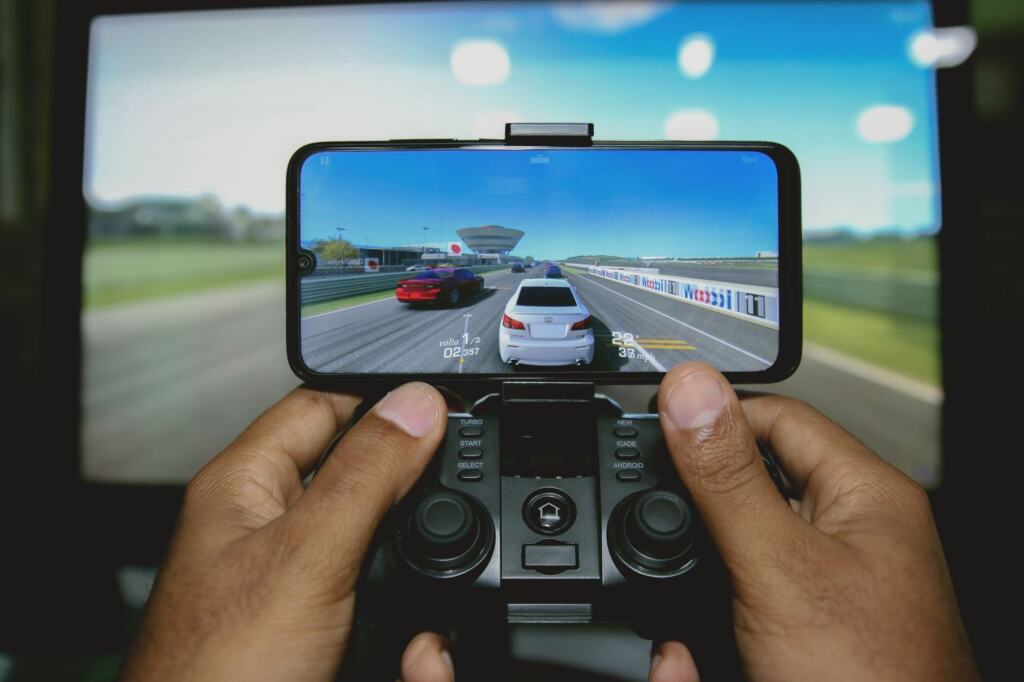
You have a phone, a controller and no gaming PC. The free cloud gaming services worth trying are GeForce NOW, Xbox Cloud Gaming with free-to-play titles such as Fortnite, and Amazon Luna if you already pay for Prime.
Free access comes with limits on session length, ads, libraries and membership. If you would rather play in a headset than on a screen, see the best vr games.
Why free rarely means unlimited
The most common misunderstanding is that a free tier gives the same experience as a paid plan. It does not. A free tier is a way to test a game and your connection, and the limits decide whether it can be more than that.
On the GeForce NOW free tier, Cloud Loadout’s roundup lists sessions of 1 hour with instant re-queuing, about 2 min of ads per session, and 1080p Standard quality. Fortnite on Xbox Cloud Gaming is also listed with a 1 hour session, but you re-queue after the limit rather than instantly. Both suit a quick match or a trial. Neither suits a long story game where you need to stay in one sitting.
| Service | What the free route gives you | Main limit | Planning use |
|---|---|---|---|
| GeForce NOW (free tier) | 1080p Standard streaming of games you own on linked Steam, Epic Games Store, Ubisoft Connect or GOG accounts | 1 hour sessions with instant re-queue; about 2 min of ads per session | Best for testing games you already own on a weak laptop or phone |
| Xbox Cloud Gaming (free Fortnite) | Fortnite, which is also listed on GeForce NOW and Amazon Luna | 1 hour session, re-queue after the limit; 10+ Mbps recommended | Suits short sessions of a single free-to-play title |
| Amazon Luna (Standard) | 50+ games, rotating monthly | Requires an active Amazon Prime membership | Worth using only if you already pay for Prime |
| Boosteroid | Listed as a cloud option for Marvel Rivals, a free-to-play game | The game is free to play; the service’s own terms are separate | Treat it as an alternative route to one free title |
These figures come from Cloud Loadout’s free cloud games listing.
Common misunderstandings about free tiers
Free tier does not mean free games
GeForce NOW’s free tier is a way to stream games you already own. You link an existing Steam, Epic Games Store, Ubisoft Connect or GOG account, and the service runs the title for you. That is useful if your library is bigger than your hardware, but it will not hand you new games. If you own very little, the free-to-play titles listed across services will matter more than the tier itself.
Amazon Luna is free only for Prime members
Luna Standard offers a rotating library of games, but it requires an active Prime membership. If you already subscribe, it costs nothing extra to try, and the monthly rotation gives you a reason to check back. If you do not subscribe, it is not a free option, and you should not sign up to Prime just to sample it.
Xbox’s free offer is wider than the cloud
Xbox’s official free-to-play page describes a collection for Xbox Series X|S, Xbox One and Windows PC, and says online multiplayer in free-to-play games is available on console at no charge. That tells you the games themselves are free, which is separate from how you stream them. If you have no console or PC that can run a title, the cloud route is the way to reach it. If you do have one, check whether the game runs natively first.
A free game on Boosteroid is not a free service
Marvel Rivals is listed as available on Boosteroid, and the game is free to play. That does not make the streaming service free. Read Boosteroid’s own plan details before assuming a cost of nothing.
Internet speed and latency
You do need a decent connection, though the pack gives a figure for only one service. For the free Fortnite stream on Xbox, Cloud Loadout recommends 10+ Mbps. Treat that as a starting point for that game, not a universal rule. Other providers publish their own requirements, and a higher quality setting will ask more of your line.
Speed in Mbps is only half the picture. Response time matters for shooters and fast action, and it depends on the route between you and the provider’s servers. Your device matters less than you might expect: the GeForce NOW free tier is described as giving solid performance even on a budget laptop or a phone, because the heavy work happens remotely. Spend your effort on the connection rather than the hardware.
The 1 hour session limit on the free tiers makes testing cheap. Use one session to check whether a game feels responsive on your own broadband before you decide anything else.
Playing on a phone
Yes, cloud games work on a phone, and free tiers are a low-cost way to find out how well. The reviewer behind the GeForce NOW summary describes solid performance on a phone, and the same source calls Fortnite’s touch controls on mobile surprisingly usable. That makes a shooter or battle royale a reasonable first test, since you do not need extra gear to start.

Phone play suits a short free session on the sofa. If you find touch controls tiring, a clip-on or paired controller is the next thing to try, but check each service’s controller support before buying one.

Choosing a service
Pick by what you already own and what you want to play, not by the word free.
- You own PC games already: GeForce NOW’s free tier is the obvious first test, because it links your existing store accounts and streams at 1080p Standard.
- You want one free-to-play title: Fortnite is listed on GeForce NOW, Xbox and Amazon Luna, so you can compare the same game across services before you commit to any of them.
- You pay for Prime: Luna Standard adds a rotating library without another subscription, so it costs you nothing to check each month.
- You want a specific free game elsewhere: Boosteroid is worth a look if Marvel Rivals is the draw.
Genre also matters. If you prefer lighter, rhythm-based play, Beat The Screen: The Ultimate Guide To Rhythm Games Online In 2026 – Viarama looks at rhythm games played online. If racing is the draw, Build a Budget DIY Sim Racing Cockpit: Step‑By‑Step Guide For 2026 – Viarama covers a budget cockpit to pair with a streamed driving game.
Making a short session count
Free sessions end, so plan around them. Decide before you start what you want to learn: whether the game feels responsive, whether the picture is acceptable on your screen, and whether the controls suit you. A session of 1 hour is enough for that, and the GeForce NOW tier’s instant re-queue means a second attempt costs little. Free-tier ads of about 2 min per session are a minor delay when the aim is a test.
If a free tier works well for you, upgrading is the next question. If it does not, you have lost nothing but an hour. That is the real value of these services: a cheap test of whether streaming suits you.
Frequently asked questions
| Question | Answer |
|---|---|
| What are the best free cloud gaming services? | GeForce NOW’s free tier is the strongest starting point if you own PC games. Xbox Cloud Gaming suits a free title such as Fortnite, and Amazon Luna works if you already have Prime. |
| Do I need fast internet? | You need a steady connection. The free Fortnite stream on Xbox recommends 10+ Mbps, and other services publish their own requirements. |
| Can I play cloud games on a phone? | Yes. GeForce NOW is described as performing solidly on a phone, and Fortnite’s mobile touch controls are described as usable. |
| Does the GeForce NOW free tier need a credit card? | No. Cloud Loadout lists the free tier as requiring no credit card. |