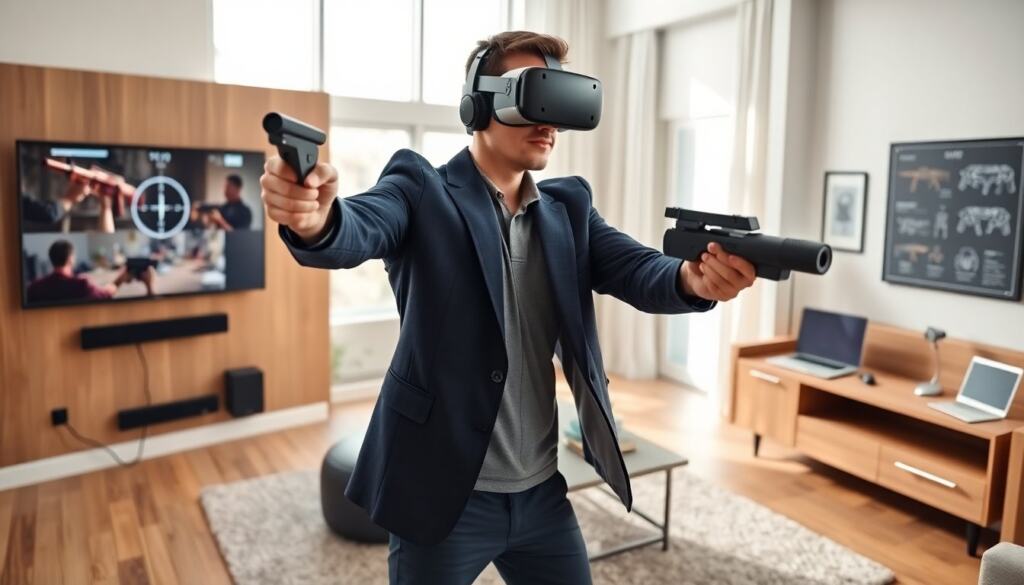
vr shooting games deliver tense combat, precise aiming, and fast reactions. This guide lists top vr shooting games in 2026. It explains what makes a strong shooter, which platforms run best, and simple safety tips. It helps players pick the right headset and controller. It points to gameplay features that matter. It prepares players for clearer, safer sessions. Read on for practical setup advice, common pitfalls to avoid, and what to look for when choosing a new vr shooting game—whether you want short arcade matches, long campaign runs, or cooperative survival runs with friends.
Key Takeaways
- VR shooting games excel with precise aiming, responsive feedback, and dynamic level design for engaging combat.
- Choosing the right platform and hardware setup greatly impacts performance and latency in VR shooting games.
- Top VR shooting games in 2026 offer diverse modes like ranked play, co-op horde, and single-player campaigns to suit varied play styles.
- Safety and comfort are crucial—players should start with short sessions, use comfortable locomotion options, and maintain steady frame rates.
- Regular updates, balanced matchmaking, and mod support enhance the longevity and enjoyment of VR shooting games.
- Hydration, rest, and clear play areas help prevent motion sickness and accidents during VR shooting gameplay.
What Makes A Great VR Shooting Game?
A great vr shooting game focuses on aiming, feedback, and level design. It rewards precision and movement. It gives clear hit feedback through sound and haptics. It offers weapon weight and recoil that feel consistent. It uses stages that allow cover, flank routes, and vertical play. It provides balanced AI or multiplayer matchmaking. It keeps input lag low and frame rate high. It includes short, varied encounters and tight encounter pacing. It supports comfortable locomotion options. It places UI elements where eyes naturally rest.
Beyond those fundamentals, the best vr shooting games also prioritize: – Intuitive weapon handling: reloading, chambering rounds, and weapon swaps should feel natural in VR hands. – Consistent hit registration and clear visual readouts so players understand when they miss and why. – Scalable difficulty: options for aim assist, reduced recoil, or slower enemy reaction let newer players build confidence without breaking competitive modes. – Accessibility options: remappable controls, colorblind palettes, and different comfort locomotion help a wider audience enjoy the game. Developers who iterate on control feel and expose tuning options tend to produce shooters that stay engaging across skill levels.
Top VR Shooting Games To Play Right Now
Players often name several vr shooting games as standouts in 2026. They include fast arcade shooters with ranked play, realistic military sims, and cooperative zombie titles. Examples include a polished arena shooter with crossplay, a military sim that models ballistics, a co-op wave shooter with weapon upgrades, and a stealth shooter with silence mechanics. Players praise titles that update maps and add new guns regularly. Reviewers favor games that balance skill and accessibility. Players should check patch notes and community servers to find active matches.
When choosing which vr shooting games to try first, consider these practical filters: – Playstyle: pick arcade-style shooters for quick matches, sims for slower, tactical play, and co-op horde games if you prefer teamwork. – Community health: search forums and in-game population indicators to avoid titles with empty servers. – Content roadmap: games with regular seasonal updates, mod tools, or community-made maps usually remain engaging longer. – Controller support: ensure the title supports your controllers (tracked motion controllers, gun peripherals, or standard gamepads in seated modes). – Tutorial and practice modes: games that include aim trainers, weapon familiarization ranges, or bot matches shorten the learning curve. Trying demo levels or free weekends can help you decide which vr shooting games fit your comfort and skill level before investing time or money.
Platforms, Hardware, And Performance Tips
Platform choice affects latency and library size for vr shooting games. Consoles provide plug-and-play ease and stable performance. PCs provide higher fidelity and mod support. Cloud PC services let players run heavy titles on thin clients. Players should set GPU and headset refresh settings to prioritize steady frame rates. They should close background apps and update GPU drivers before sessions. They should test default graphics presets and lower shadows or post-processing if they see stutter. They should prefer wired connections for PC headsets when possible. They should measure frame timing with built-in tools.
Concrete hardware and performance tips: – Headset selection: higher refresh rates (90Hz+) and lower persistence panels reduce motion blur and improve tracking for fast shooting. – Tracking: inside-out tracking is convenient, but room-scale base-station tracking still offers marginally better precision in dense combat scenarios. – Controllers: choose controllers with reliable trigger and grip tracking; for some vr shooting games, physical magazines or stock attachments improve immersion and ergonomics. – PC settings: prioritize frame stability over maximum visual settings—consistent 90/120 FPS will feel better than variable 120–60 FPS swings. – Network: for multiplayer shooters, use wired Ethernet or a low-latency Wi‑Fi 6E/6 connection and enable NAT punch-through options if needed. – Accessories: a well-padded face gasket, counterweight for balance, and cable management or a wireless adapter reduce fatigue and cable drag during long sessions.
Gameplay Modes And Design Features To Look For
Players should look for varied modes in vr shooting games. Ranked deathmatch tests raw aim. Objective modes force team play and map control. Co-op horde modes offer steady progression and gear unlocks. Single-player campaigns deliver scripted encounters and weapon variety. Features that aid skill growth include aim trainers, replay tools, and customizable difficulty. Matchmaking that balances skill reduces frustrating losses. Reward systems that grant cosmetics do not alter core balance. Mod support and custom maps extend a title’s lifespan. Regular developer updates keep balance and maps fresh.
Specific design elements that improve long-term enjoyment: – Map design: asymmetry with multiple sightlines, destructible cover, and verticality keeps matches strategic. – Weapon balance: distinct weapon roles (close, mid, long range) with clear counters and meaningful trade-offs. – Progression systems: meaningful unlocks that change playstyle (attachments, gadgets) rather than just grindable stat boosts. – Social features: in-game voice chat, party joining, and cross-play widen the pool of available matches. – Practice systems: integrated aim trainers, target ranges, and slow-motion replays help players refine technique without losing fun. When evaluating new vr shooting games, look for titles that mix short competitive rounds with longer cooperative or narrative modes so you can choose the session length that fits your schedule.
How To Stay Safe And Avoid Motion Sickness In VR Shooters
Players should follow safety steps before play. They should hydrate and rest eyes between matches. They should start with short sessions and increase time slowly. They should prefer teleport or snap-turn options if they feel uneasy. They should keep frame rate steady and match headset refresh to GPU output. They should sit or stand in a clear play area to avoid trips. They should use wrist straps or secure grips to avoid accidental throws. They should stop play at the first sign of nausea and rest until symptoms clear.
Additional practical measures: – Gradual exposure: begin with 5–10 minute sessions and add 5–10 minutes each day as comfort improves. – Locomotion settings: choose forced vignette, reduced FOV during movement, or teleport when playing intense horde or fast-paced matches to limit vection. – Calibration: regularly recalibrate tracking and IPD (interpupillary distance) for crisp visuals and reduced eye strain. – Break routines: follow a 20/20 rule—every 20 minutes look at a distant, non-VR object for 20 seconds and blink deliberately to reduce dryness. – Environment: play in a cool, well-ventilated room; overheating can increase discomfort and nausea. – Emergency plan: keep a towel and water nearby, and have a clear, immediate exit strategy from the play area if you feel faint or disoriented. Being proactive about comfort settings and hardware maintenance makes vr shooting games more enjoyable and safer across casual sessions and marathon events.