A projection mapping projector makes flat surfaces turn into three-dimensional canvases. The buyer compares brightness, resolution, lens options, and input latency. The installer aligns projector geometry and masks content to fit shapes. The artist tests media server playback and color calibration. The reader will learn clear steps to choose gear, set up a reliable show, and create striking 3D projections.
Key Takeaways
- A projection mapping projector differs from regular projectors by offering higher brightness, flexible lens options, and geometric correction for precise image placement on irregular surfaces.
- Choosing the right projection mapping projector involves evaluating lumen rating, resolution, contrast, lens types, and light source to fit venue needs and content detail requirements.
- Media servers paired with projectors should support warping, edge blending, multi-channel output, and frame synchronization to ensure smooth and synchronized large-scale projections.
- Proper setup includes secure mounting, precise alignment using test patterns, color calibration, edge blending, and ensuring stable playback with minimal latency.
- Maintenance and backup plans are essential, including cleaning lenses, monitoring projector temperature, securing cables, carrying spares, and preparing fallback content for reliable show continuity.
How Projection Mapping Projectors Differ From Regular Projectors
A projection mapping projector targets precise image placement on irregular surfaces. A standard projector projects a rectangular image for general video. Projection mapping projectors supply higher brightness and flexible lens shift to counter ambient light and throw distances. The artist often chooses projectors with high lumen output. The venue operator worries about contrast and black level. The creative team values reliable color reproduction and low latency. The mapping workflow needs geometric correction tools and warping features. Many projectors include onboard warping, but many teams pair projectors with external media servers. The external media server handles content mapping and playback. The hardware often supports multiple inputs and frame-sync options. The user can blend edges between two or more projection mapping projectors. The installer uses edge blending to create seamless large canvases. The projection mapping projector often supports motorized lenses and multiple lens mount options. The technician swaps lenses for different throw distances. The projector sometimes offers laser light sources for longer life and stable color. Laser models keep brightness consistent over many hours. The projector can also include network control and diagnostics for remote monitoring.
Choosing The Right Projection Mapping Projector: Key Specs, Lenses, And Media Servers
The buyer compares lumen rating, resolution, and contrast to match the venue. The buyer chooses higher lumens for outdoor and daytime work. The buyer prefers 4K or high-resolution projectors for fine detail on complex surfaces. The buyer checks contrast for deeper blacks on textured surfaces. The buyer inspects lens options for throw distance and projection size. The buyer selects motorized zoom and lens shift when installers need fast alignment. The buyer evaluates lens types: short-throw lenses reduce distance in tight areas, while long-throw lenses reach distant facades. The buyer confirms the projector lens mount matches available lenses. The buyer weighs laser light sources against lamp modules. The buyer favors laser for long events and frequent use. The budget buyer may choose lamp models for lower upfront cost. The team checks input options and frame rates for media servers. The team chooses media servers that support warping, edge blending, and multi-channel output. The team prefers servers with SMPTE sync or genlock to keep multiple projection mapping projectors in sync. The team tests media server playback of large files before the event. The designer uses content formats that match projector resolution to avoid scaling artifacts. The operator checks color profiles and supports 10-bit color where possible. The planner includes spare bulbs, power distribution units, and spare cables. The buyer plans cooling and ventilation for continuous operation. The buyer confirms projector weight and rigging points for safe mounting. The technical lead verifies network control and software compatibility with the media server. The buyer reads real-world reviews and rental houses test gear before purchase.
Quick Setup, Calibration, And Best Practices For Reliable Shows
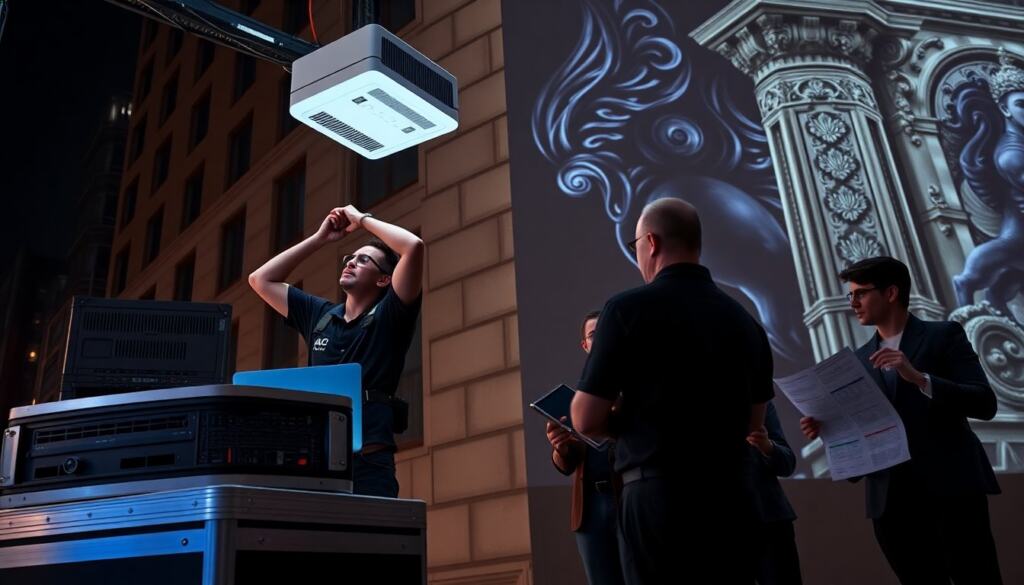
The crew mounts each projection mapping projector securely and levels each unit. The installer powers projectors from dedicated circuits to avoid voltage drops. The installer runs test patterns from the media server and adjusts lens focus. The technician uses grid patterns to set keystone and basic geometry. The operator refines mapping with the media server and applies masks to match surface edges. The colorist adjusts white balance and gamma to match adjacent projections when using multiple projection mapping projectors. The team uses edge blending to hide joins and sets overlap at the recommended percentage. The crew checks alignment at show brightness because lenses behave differently at low and high brightness. The operator tests playback at show frame rate and measures latency. The technician enables frame sync between projectors for choppy motion elimination. The crew tests audio sync when the content includes sound. The crew rehearses full playback and logs any dropped frames. The team documents network settings and backup procedures. The operator stores copies of final mapped files on local drives and on the media server. The crew brings spare network switches and replacement cables. The operator monitors temperature and fan warnings during runtime. The technician cleans lenses and filters before each event to maintain brightness. The crew secures cables and covers connectors to prevent accidental disconnection. The installer uses safety chains and secondary supports for each projector. The designer prepares simpler fallback content in case a projection mapping projector needs to go offline. The operator runs a final walk-through in the audience area to confirm visible alignment. The team schedules a short warm-up run to let laser projectors reach stable color output. The crew reviews post-show logs to identify issues and improve the next setup.