3d projection mapping blends light, image, and surface to create immersive displays. It uses projectors, tracking, and mapped content to change how viewers perceive objects. This introduction outlines core ideas and sets the stage for practical steps, hardware needs, and early project tips.
Key Takeaways
- 3d projection mapping uses projectors to precisely overlay visuals on irregular surfaces, creating immersive and dynamic displays that capture audience attention.
- Successful 3d projection mapping requires careful workflow steps including surface measurement, content creation, precise projector alignment, and thorough field testing.
- Choosing the right hardware like high-lumen projectors and reliable media servers is essential to ensure brightness, image clarity, and smooth playback for 3d projection mapping.
- 3d projection mapping is versatile and widely used in events, museums, retail, concerts, and architectural previews to enhance storytelling and highlight details without physical alterations.
- Starting small with a single projector and basic software can make 3d projection mapping accessible on a modest budget, with practical tips like mounting security and content testing improving results.
- Partnering with rental houses or skilled operators can ease the learning curve and technical setup for first-time 3d projection mapping projects, ensuring smoother execution.
What Is 3D Projection Mapping And Why It Matters
3d projection mapping uses projectors to place video precisely on irregular surfaces. Practitioners measure a surface, create content that fits the form, and align light so the image appears attached to the object. The technique changes plain buildings, stages, and products into dynamic canvases. It matters because it creates strong visual impact with relatively low physical alteration. Event planners use 3d projection mapping to deliver memorable moments. Brands use 3d projection mapping to highlight design details without permanent changes. Museums use 3d projection mapping to add context to artifacts while preserving originals.
How 3D Projection Mapping Works
A 3d projection mapping workflow begins with surface capture, moves to content creation, and ends with field alignment. Teams capture the target with photos, laser scans, or measured drawings. Artists create visuals that match the recorded geometry. Technicians place projectors and test alignment on site. Software warps the image so the pixels land in the right positions. During playback, the system blends multiple projectors and synchronizes playback with audio and sensors. The result makes flat video look three-dimensional and anchored to the surface.
Key Components: Hardware, Software, And Content Preparation
Projectors provide light and resolution. Planners pick projectors by brightness (lumens), throw ratio, and lens options. Media servers handle playback and blending. They feed multiple projectors with timed frames. Mapping software creates the geometric correction and edge blending. Designers use 3D tools to model the surface and to bake shadows or highlights into the content. Content teams prepare high-contrast layers, masks, and tracking markers when needed. Cabling, mounts, power, and weather protection complete the hardware list. Field testing verifies alignment, color, and focus before the public sees the work.
Common Applications And Inspiring Examples
Cities use 3d projection mapping for light festivals and civic displays. The technique transforms facades into animated stories and draws crowds. Museums use 3d projection mapping to show context, restoration stages, or historical scenes over artifacts. Retail brands use 3d projection mapping to animate storefronts and to highlight product features. Concerts and theater productions use 3d projection mapping to change sets instantly and to sync visuals with live music. Architects and designers use 3d projection mapping to preview façade finishes without physical samples.
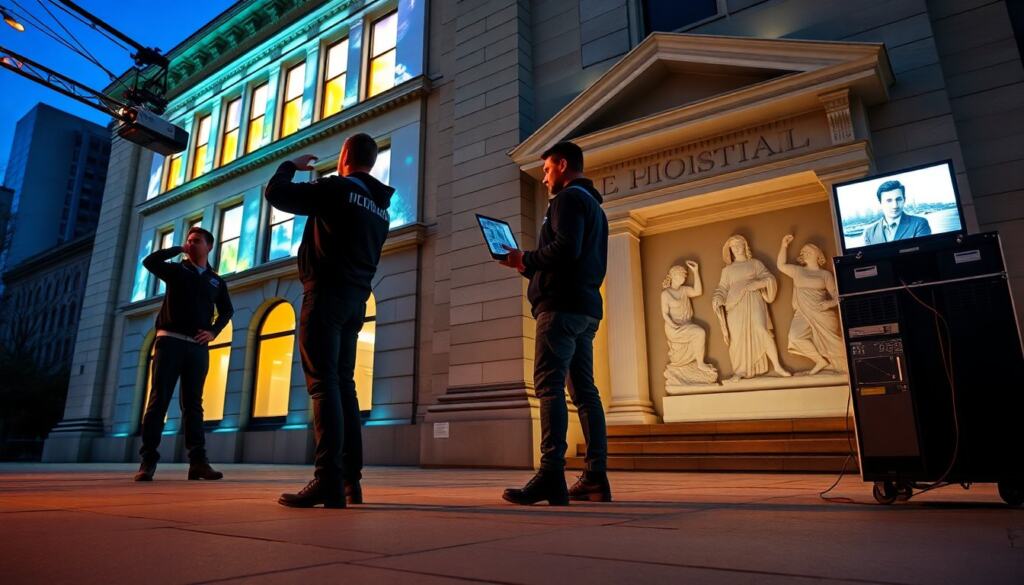
A clear example comes from a city festival that turned a museum facade into a timeline of local history. The team used 3d projection mapping to match windows and cornices and to animate passages that drew sustained attention. Another example comes from a product launch where the brand used 3d projection mapping to reveal hidden product layers on a mockup. The method allowed the team to explain features without multiple physical prototypes.
Getting Started: Budget, Workflow, And Practical Tips For Your First Project
A starter 3d projection mapping project can run on a modest budget if the scope stays small. A single projector, a basic media player, and mapping software can support small sculptures, shop windows, or stage props. Teams should plan costs for permits, power, and mounting hardware.
Workflow steps help control time and cost. Step one: survey the surface and record measurements or photos. Step two: model the surface in 3D or create a precise 2D template. Step three: build content in layers and test on the model. Step four: stage a dry run to check alignment, focus, and brightness. Step five: refine timing, color balance, and playback cues.
Practical tips reduce common problems. Choose a projector with enough lumens for ambient light levels. Test content at the final viewing distance. Lock projector mounts to prevent drift. Label cables and backup media for quick recovery. Use contrast and motion to guide viewer attention, and avoid long, slow pans that lose impact.
Teams can borrow equipment or rent a skilled operator for the first show. Training helps operators learn alignment and edge blending quickly. Local rental houses often provide tech support and can advise on permits and power needs. Finally, document the setup with photos and notes so future runs require less time.