A 3d hologram fan creates a floating image by spinning LED blades fast. The device shows motion-based images that viewers see as three-dimensional. Buyers use the fan for retail displays, events, and product demos. This guide explains how the device works, what parts it needs, and what to compare before buying. It also lists practical use cases and simple tips for deployment.
Key Takeaways
- A 3d hologram fan creates captivating floating images by spinning LED blades rapidly to simulate three-dimensional visuals.
- When buying a 3d hologram fan, compare brightness, resolution, viewing angle, build quality, and safety features to ensure the best image quality and reliability.
- Retailers, event planners, and museums use 3d hologram fans to attract attention, increase foot traffic, and display engaging visual loops effectively.
- Proper installation includes mounting the fan at eye level, securing power cables, avoiding direct sunlight, and using a protective cage for safety.
- Using short, high-contrast loops of 5–12 seconds and rotating multiple loops helps maintain viewer interest and enhances the 3d hologram fan’s impact.
What Is A 3D Hologram Fan?
A 3d hologram fan is a display device that creates a floating image in midair. The fan uses fast-spinning LED blades to show sequential frames. The human eye blends the frames and perceives a three-dimensional object. The device does not project a true hologram that records light fields. Instead, it simulates depth through motion and persistence of vision. Manufacturers sell the fan in sizes for tabletop use or large, freestanding installations. They target marketers, event planners, and store owners who need high-impact visuals.
Beyond the basic concept, models vary by blade diameter, LED density, and control options. Smaller, portable 3d hologram fan units are suitable for countertop demos and trade show booths; larger units are designed for storefront windows and atriums where visibility from a distance matters. Some units include mounts or enclosures; others are intended to be integrated into larger display systems. Accessories such as protective cages, ceiling mounts, and content management software are commonly available to support different deployment scenarios.
How 3D Hologram Fans Work
A 3d hologram fan creates images by rotating LED strips at high speed. The fan times LED pulses to map each frame in a circular sweep. The controller syncs the pulses to the motor speed. The human brain merges the pulses into a continuous image. This process gives the impression of depth and motion.
Key components include the motor and rotor that spin the blades, the LED arrays embedded in each blade, and a controller board that stores content and handles timing. Some systems also include sensors to detect rotational speed so the LEDs can be synchronized precisely. Content files are typically rendered as sequences that the controller plays back; common supported file formats and the available resolution will affect how crisp and detailed the resulting 3d hologram fan image appears.
Practical limitations stem from physics: ambient light can wash out the image, and viewing angles are constrained by the blade sweep. The perceived depth is created by scaling and parallax cues in the animation rather than true volumetric projection. Understanding these constraints helps set realistic expectations and guides content creation and placement decisions.
Key Features To Compare Before Buying
Buyers should compare features that affect image quality and reliability. A clear spec list helps buyers match the fan to use cases. Key comparison points include brightness, resolution, viewing angle, safety features, build quality, connectivity, and content support. Price and warranty also play a role. Buyers must balance cost with the need for larger size, higher resolution, or outdoor use. Evaluating vendor support and replacement parts reduces downtime risk.
Important specifics to check:
- Brightness and LED type — higher lumen output improves visibility in bright environments but typically increases power draw and heat.
- Resolution and pixel density — more LEDs per blade create smoother, more detailed imagery, important for product visuals and text legibility.
- Viewing angle and optimal distance — determine where customers will stand and choose a size that reads well from those positions.
- Construction and safety — look for robust motors, balanced blades, and included protective cages or mounting hardware.
- Connectivity and content workflow — USB, Wi‑Fi, or Ethernet options affect how you update content; check for user-friendly content management tools and supported file formats.
- Serviceability — replaceable blades, available spare parts, and warranty terms will affect long-term cost of ownership.
Also consider power requirements, noise level, and certifications relevant to your region or venue (for example, electrical safety standards). For businesses, comparing after-sales support and the availability of installation services can be as important as the headline specifications.
Best Use Cases And Practical Tips For Deployment
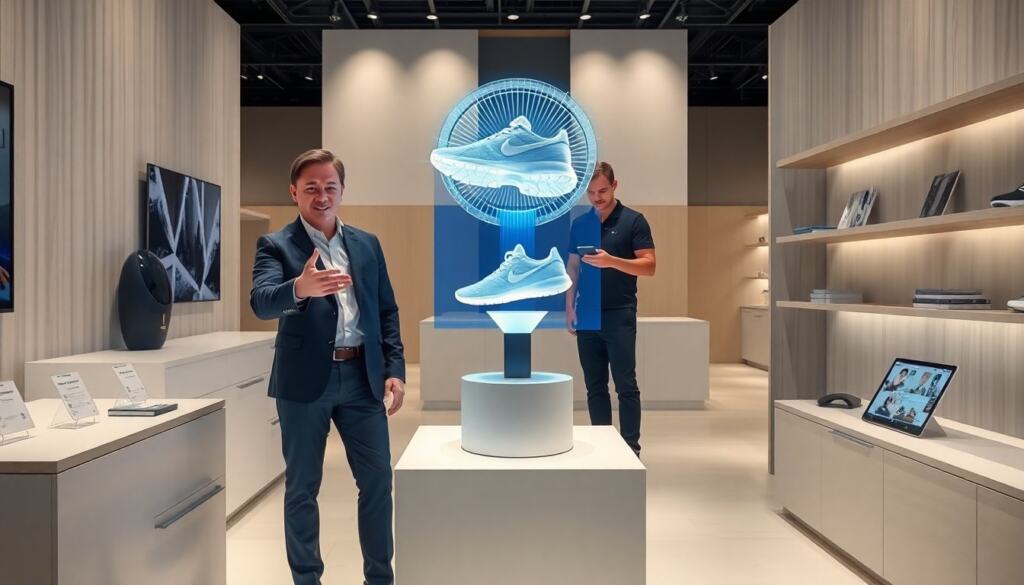
Retail stores use a 3d hologram fan to draw attention to new products. Event teams place the fan near entrances to increase foot traffic. Museums and showrooms use the fan for short, informative loops. Installers mount the fan at eye level or slightly above for best effect. They secure power and hide cables to keep the display neat. They avoid direct sunlight on the blades to reduce washout. For motion safety, they place a protective cage and set a safe mounting height. For content, they use short, 5–12 second loops with clear contrast. They rotate multiple loops to sustain interest.
Deployment tips to improve impact and reduce problems:
- Placement — position the 3d hologram fan so the main viewing axis is unobstructed. Avoid locations where reflections from glass or bright signage will compete with the image.
- Ambient light control — if possible, shade the area or use indoor locations for best contrast. In bright storefronts consider higher-brightness units or placing the fan further inside the window.
- Content best practices — use solid background colors, bold shapes, and high-contrast palettes. Animate objects with subtle rotation or parallax to maximize apparent depth. Keep text minimal and large; short loop lengths and variety maintain attention.
- Safety and maintenance — confirm the mount and fasteners are rated for the fan’s weight and vibration. Schedule periodic checks for wear on bearings and blade balance; imbalance reduces image quality and shortens motor life.
- Integration and metrics — place the fan near other interactive elements (QR codes, POS displays) to measure impact. Test different loop sets and note dwell time or conversion changes to optimize content strategy.
With proper placement, content, and maintenance, a 3d hologram fan becomes a high-impact element in a visual marketing mix. Planning for power, safety, and content update workflows up front will help the device deliver consistent value over time.