Smart glasses for blind people offer real help in 2026. They use cameras, AI, haptics, and speech to give users timely scene details. Developers design these devices to identify objects, read text, and signal hazards. People test prototypes in daily tasks. The devices aim to reduce reliance on human guides and increase personal freedom.
Key Takeaways
- Smart glasses for blind people use cameras, AI, haptics, and speech to provide real-time scene descriptions, enhancing user independence.
- These devices identify objects, read printed text aloud, and signal hazards through audio and tactile feedback customized to user needs.
- Training and peer support are crucial to help users trust and effectively use the smart glasses in daily tasks and unfamiliar environments.
- Privacy features like local-only processing and video blurring protect user data while maintaining fast, accurate performance.
- Cost varies widely, but insurance, loaner programs, and demos at vision centers offer accessible ways to try and acquire smart glasses.
- Ongoing updates, warranties, and user communities improve device reliability and encourage broader adoption for increased personal freedom.
How Smart Glasses Assist People Who Are Blind Today
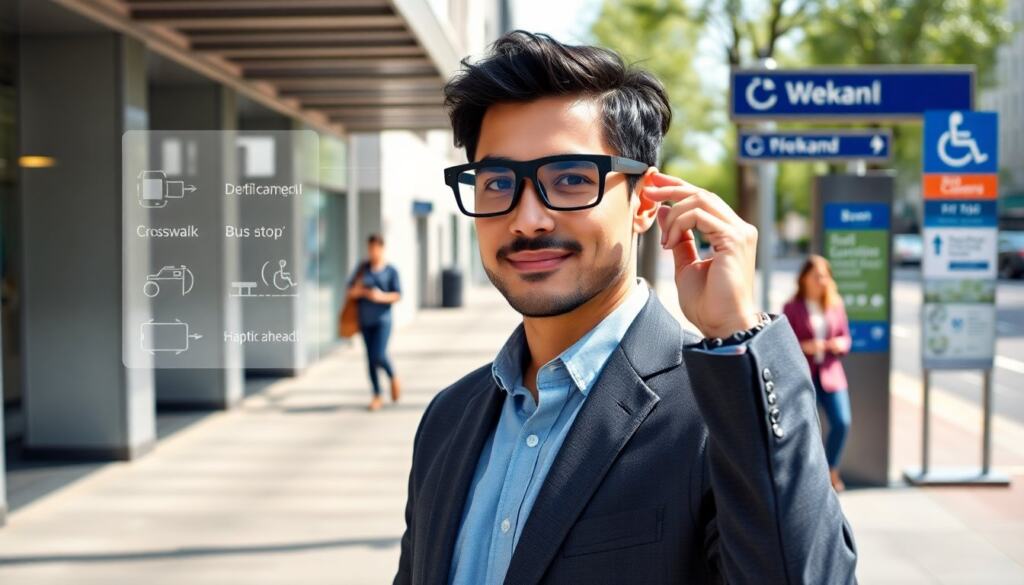
Smart glasses for blind people record a scene with small cameras. Software on the device or in the cloud analyzes the images. The system then speaks labels or sends touch cues to the wearer. Companies train models to spot common objects, faces, and signs. Users get short, direct messages like “stool ahead” or “red light.” The glasses also read printed text aloud. They scan a page and convert the text to speech in real time.
Care teams tailor the device to user needs. A clinician can set the priority to read medication labels or to announce crosswalk signals. Training helps users trust the output. Training focuses on how to wear the glasses, how to adjust audio, and how to interpret haptic patterns. Many users report faster movement in familiar places after weeks of use. They also report less anxiety when facing new routes.
Third-party apps extend device use. An app can send live video to a remote assistant on demand. Another app can link the glasses to public transit data. These integrations let users confirm bus stops or find building entrances without asking a passerby. Independent testers note that smart glasses for blind people work best when the device blends camera feed, AI labels, and an easy control scheme. Battery life and comfort remain practical limits. Designers continue to shrink components and to tune power use so the glasses can last a full day of errands.
Core Technologies Powering Accessibility Glasses (Cameras, AI, Haptics, And Audio)
Cameras gather visual data for the system. Engineers place wide-angle and depth cameras on the frame. These cameras give the software a clear view of the user’s path. Edge processors handle basic tasks on the device. Cloud services handle heavier analysis when the user has a good connection. AI models then label objects and extract text from scenes.
The AI uses trained neural networks. Teams train the models on labeled photos and video captured in everyday settings. The models predict objects, read text, and estimate distances. Developers test the models for false positives and false negatives. They tune confidence thresholds so the device speaks only when prediction meets a clear score.
Haptic feedback gives silent cues. Small vibration motors place signals on the temple or frame. A pattern of pulses can mean “stop,” “turn left,” or “obstacle close.” Users learn each pattern during setup. Audio gives richer feedback. The system uses short, plain phrases and spatial audio to point out direction. The audio goes to bone-conduction transducers or to ear buds. Bone conduction keeps the ear open to ambient sound.
Privacy features limit data sharing. Devices can blur faces, omit audio recording, or process video only locally. Vendors provide controls for local-only mode or opt-in cloud processing. Security updates patch model and firmware bugs. Teams run audits to confirm compliance with data rules. Accessibility glasses combine hardware and software choices to keep the system fast, accurate, and respectful of user data.
Practical trade-offs affect design. Higher camera resolution improves recognition but drains battery. More on-device processing reduces latency but raises cost. Open ecosystems let researchers add features. Closed ecosystems simplify user experience and support. Companies experiment with hybrid designs that balance cost, speed, and privacy.
Practical Considerations: Cost, Training, Privacy, And Where To Try Devices
Cost sets a barrier for many buyers. Smart glasses for blind people range from support apps on cheap frames to full systems costing several thousand dollars. Insurance sometimes covers parts of the cost for qualifying users. Nonprofits and pilot programs offer loaner units in some cities. Users should compare total cost, warranty, and update policy before purchase.
Training matters for success. Vendors provide online guides and in-person sessions. A trainer shows how to set sensitivity, how to aim the camera, and how to use haptic cues. Peer groups speed adoption. A wearable helps more when a user practices in real settings like shops and transit stations.
Privacy concerns draw close attention. Users should check whether the device sends video to cloud servers. They should review how long companies store recordings. Choosing local-only processing reduces exposure. Users should also learn how to delete logs and how to enable privacy modes during social encounters.
Where to try devices varies by location. Vision centers and low-vision clinics often host demos. Maker spaces and tech expos let people test devices briefly. Several vendors offer trial periods with return options. Users should try devices in bright and dim light and on crowded sidewalks. Real-world testing reveals comfort, battery life, and true accuracy.
Buyers should prioritize reliability and support. A warranty and active update cycle keep the device useful over years. Local training partners and active user communities reduce friction. Over time, cheaper models will improve and new firmware will add features. The current market gives practical choices for people who want more independence with their daily travel.
Users who test devices often report clearer daily routines and fewer requests for help. These outcomes drive demand and spur new models.