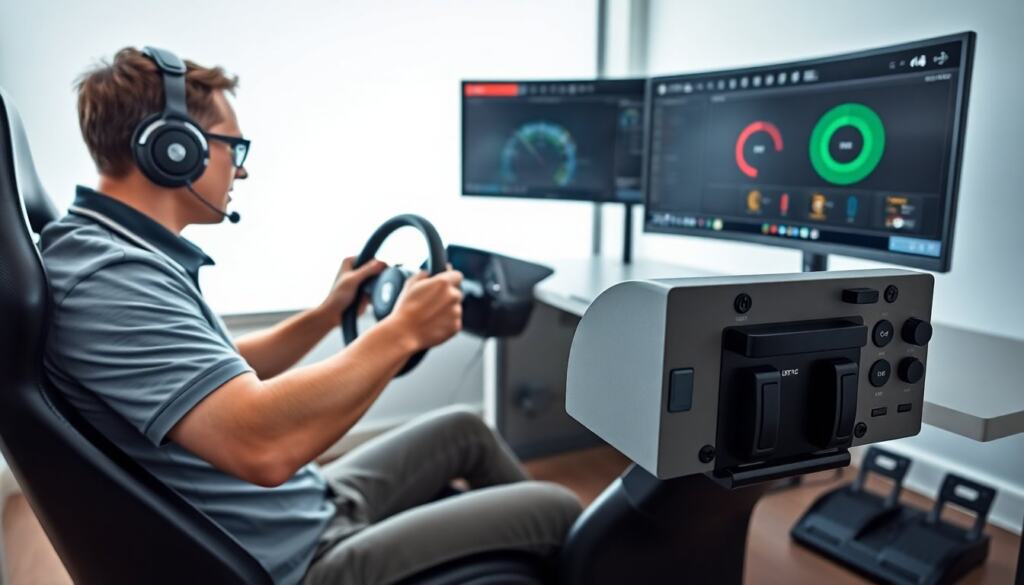
A sim racing button box helps a driver control functions quickly and reduce time lost during races. This guide explains why a driver adds a button box, how a driver picks the right model, and how a driver sets it up for better lap times. The article keeps steps clear and practical. The reader will find concrete tips for buying, building, wiring, mapping, and avoiding common errors.
Key Takeaways
- A sim racing button box offers quick, reliable control over functions like brake bias, headlights, and pit actions, enhancing lap times and reducing errors.
- Choosing the right button box depends on factors like budget, needed inputs, connectivity, and whether you prefer to buy pre-made units or build custom ones.
- High-quality build, stable connectivity, and suitable input types are critical features for a button box to withstand racing demands and integrate seamlessly with sim platforms.
- Installing the button box involves connecting it via USB or wireless, mapping controls clearly, and calibrating inputs for optimal responsiveness and race flow.
- Avoid cluttering a single panel with too many controls and regularly update firmware, secure mounting, and maintenance to ensure long-lasting, error-free performance.
- Balancing cost, setup time, and customization options helps determine if buying or building a sim racing button box best fits your racing needs.
Why Add A Button Box To Your Sim Rig?
A driver adds a sim racing button box to place controls within easy reach. It speeds up pit actions, adjusts brake bias, and toggles headlights without leaving the steering wheel. A button box reduces mis-clicks that cost corners and seconds. It lets a driver assign multiple functions to one device and avoid switching screens or keyboard shortcuts. A compact layout keeps focus on the track. Teams and solo racers both gain consistency from tactile switches and rotary knobs. For racers who want cleaner inputs and fewer mistakes, a button box delivers direct, repeatable control.
Beyond convenience, a button box improves ergonomics and situational awareness. When controls are logically grouped and within thumb reach, reaction time improves under pressure. Physical switches provide haptic feedback that most keyboards and touch interfaces lack, so the driver can confirm actions without looking. For endurance events, the ability to quickly adjust fuel mixture, traction control, or brake bias during traffic or changing conditions can preserve tires and lap time over long stints.
Finally, a button box is a platform for personalization. Drivers can tailor layouts to their preferred cars and series, creating profiles for sprint, endurance, or practice. That flexibility means a single rig can support multiple disciplines simply by swapping mappings or panels, reducing the need to reconfigure the wheel or the sim each session.
Types Of Button Boxes And When To Use Each
Simple button pads suit drivers who want basic control and low cost. These units offer labeled buttons and sometimes an encoder. Advanced button boxes include rotary encoders, toggle switches, and LEDs for status. They suit drivers who race endurance or use many car settings. Modular boxes let a driver mix layouts and swap panels. Wireless boxes free the cockpit from cables but need battery care and may add latency. DIY boards let a builder customize layout and save money, while off-the-shelf boxes provide warranty and finish. A driver chooses based on budget, needed inputs, and desired reliability.
Consider the use case when choosing a type: if you primarily need a handful of quick-access actions such as pit, flash, and radio, a simple pad or compact unit is sufficient and keeps cost and complexity low. If you regularly adjust multi-step systems—brake bias, differential, traction, or engine maps—an advanced box with encoders and detented knobs provides the precision and repeatability those adjustments require.
Modular boxes are useful for racers who attend different events or share rigs: panels can be swapped to match vehicle types without rewiring. DIY and custom enclosures offer creative control over switch types and layout, which can be crucial for ergonomic setups or unique cockpit geometries. However, they require more time for assembly and testing compared to plug-and-play commercial units.
Key Features To Look For
A racer should focus on input types, connectivity, and build quality. Inputs must match the racer’s control needs and racing discipline. Connectivity must be stable and supported by common sim platforms. Build quality must survive repeated presses and travel.
Input types: look for a mix of momentary buttons, latching switches, rotary encoders (with or without detents), and toggles. Encoders are useful for incremental adjustments; latching switches are better for on/off actions. Consider backlit or labeled switches so you can see states in varying cockpit lighting.
Connectivity and compatibility: USB is the most reliable and universally supported option; some units offer wireless for tidier cabling but confirm latency and battery life. Check for native support or easy mapping within your sim software and the ability to expose inputs as individual buttons or as an axis where appropriate.
Build and durability: metal housings, quality switch hardware, and sealed connectors reduce failure risk. Look for replaceable switch modules or accessible internals if you plan to modify or repair. Good cable strain relief and a robust mounting interface will keep the box stable and prevent wiring damage during long sessions.
Extras that help: LED indicators for function state, small displays for telemetry or mode indicators, and profile switching buttons that let you change mappings on the fly. Firmware update capability and a simple configuration utility make long-term use easier.
Buy Vs. Build: Pros, Cons, And Cost Considerations
Buying a sim racing button box saves time and gives a polished product that often includes firmware and support. A bought unit fits a racer who values plug-and-play setup and warranty. Building a box saves money and lets a builder choose exact components and layout. A DIY project suits technical users who enjoy soldering and coding. A builder must factor in the cost of switches, enclosure, microcontroller, and tools. Mass-produced boxes often cost more up front but reduce setup time and potential debugging. A racer should compare total costs, expected lifespan, and time investment before deciding.
When buying, consider the available support ecosystem: warranty terms, documentation, and community resources can significantly reduce setup friction. Commercial units commonly provide configuration software and regular firmware updates, which helps maintain compatibility with evolving sim platforms.
When building, account for hidden costs such as compatible connectors, proper tools, and time spent troubleshooting. However, DIY offers the ability to select premium mechanical switches or specific knob types that may not be available on off-the-shelf models. If you plan to experiment with custom layouts or integrate the box into a bespoke cockpit, building can provide the precise fit and feel you want.
Ultimately, the right choice balances how much time you want to invest, your technical skill level, and whether you value a finished aesthetic and vendor support over customization and potential savings.
How To Install, Map, And Calibrate Your Button Box
A driver connects the box to the PC via USB or pairs a wireless unit first. The sim detects the device as an input controller. A racer opens the sim control settings and assigns each physical control to a game function. A driver should map pit, flash, balance, and radio to reachable buttons or encoders. A racer tests each mapping in practice mode and refines assignments for race flow. Calibration matters for axes and encoders. The driver uses calibration tools in the OS or firmware to set neutral and travel. The driver documents mappings to restore settings if needed.
Step-by-step installation tips: – Unpack and inspect the box for loose parts or shipping damage. – Connect with the shortest, highest-quality cable to reduce interference and clutter. – Mount the box securely in the cockpit using the included bracket or a custom plate to ensure stable actuation. – Power on and install any vendor drivers or config utilities if required.
Mapping best practices: – Start by assigning mission-critical functions (pit, headlights, wipers, neutral) to the most accessible switches. – Group related controls physically (engine, brakes, pit) so muscle memory reduces mistakes. – Use unique actuation types for critical vs. non-critical functions (e.g., latching for lights, momentary for voice or flash). – Create and save profiles for different cars or sessions and keep a named backup of these profiles outside the sim.
Calibration and testing: – Use the operating system or firmware calibration tool to set neutral points and travel limits for any axis-style inputs. – Verify encoder behavior in small increments and make sure detents line up with expected steps. – Spend time in practice sessions to stress-test mappings under race conditions; small tweaks after real laps often reveal better layouts.
Common Mistakes And Best Practices For Long-Term Use
A racer often places too many controls on a single panel. That error causes mis-presses during intense moments. A driver should group related functions and label them clearly. A racer sometimes skips firmware updates: that choice can cause incompatibility with new sim versions. A driver should update firmware and keep backups of profiles. A racer may mount the box loosely: that mistake creates wobble and missed inputs. The driver should secure the box with sturdy brackets or velcro. A racer should clean switches and check connectors every few months. Proper care extends life and keeps inputs reliable.
Avoid common pitfalls: – Don’t overload a single row with unrelated functions; cognitive load increases in traffic or fatigue. – Avoid using the same tactile feel for two critical actions that might be pressed accidentally; differentiate by switch type or placement. – Don’t ignore power management on wireless units—low battery during a race is preventable with a charging routine or battery monitor.
Maintenance and longevity tips: – Regularly inspect solder joints and connector points if you built the box, and replace worn keycaps and switches as needed. – Keep a simple toolkit nearby for quick repairs at events: spare cables, basic screwdriver, and a small soldering iron if you do field fixes. – Periodically clean contacts and dust from mechanical switches and ensure that any rubber seals or gasketing remain intact in humid environments.
Best practices for reliability: – Use a consistent naming convention for profiles and backups so you can quickly restore a working setup. – If possible, test firmware updates on a spare machine or with a non-critical profile before committing to race day. – Log changes after setup: a short change log helps troubleshoot when a mapping or button behavior changes unexpectedly after an update or hardware swap.