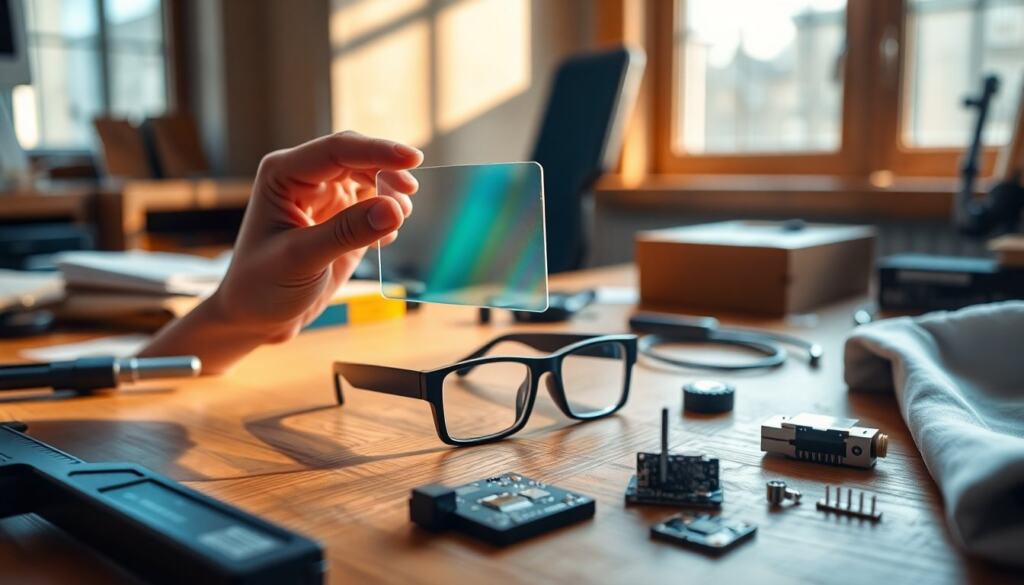
Users asking how do AR glasses work want a clear picture of how digital visuals are combined with the real world. At a basic level, AR glasses overlay computer-generated images onto a wearer’s view by precisely projecting light into the eye while tracking head and eye movement. The rest of the system, optics, microdisplays, sensors, and on-device processing, must cooperate in real time to keep overlays stable and useful.
Key Takeaways
- AR glasses work by overlaying computer-generated images onto the real world through precise light projection into the eye while tracking head and eye movements.
- Waveguide optics and microdisplays are core technologies that enable AR glasses to deliver bright, sharp virtual images that blend naturally with the environment.
- Accurate spatial mapping and digital content alignment rely on sensors like IMUs, cameras, depth sensors, and onboard processing with SLAM algorithms.
- Interaction with AR glasses combines voice commands, hand gestures, touch controls, and eye tracking for a seamless and hands-free experience.
- Choosing AR glasses depends on the intended use, balancing factors like battery life, field of view, brightness, comfort, and security features to suit industrial or consumer needs.
What Are AR Glasses And How Do They Differ From VR Headsets?
Augmented reality glasses are wearable devices that place digital content into the user’s field of view while leaving the surrounding environment visible. They differ from virtual reality headsets because AR preserves situational awareness, the user still sees the physical world, whereas VR replaces it with a fully synthetic environment. AR glasses tend to be lighter, use transparent or semi-transparent optics, and prioritize alignment of virtual objects with real-world geometry. VR headsets emphasize immersive displays and often require more bulky optics and tethering for high-performance rendering.
How AR Glasses Display Images: The Basics
AR displays must deliver bright, sharp imagery while remaining transparent and compact. Two core approaches are common: directing light into the eye with waveguides and combiners, or projecting from small microdisplays. Both aim to make virtual pixels appear at a comfortable focal distance and blend naturally with ambient light.
Quick Facts:
- Modern AR glasses use optical waveguides or reflective combiners to route images to the eye.
- Microdisplays (OLED, LCoS) feed the optics with the image content.
- Brightness, field of view, and eye-box size are the main trade-offs.
Waveguide Optics, Holographic Combiner, And Diffractive Elements
Waveguide systems trap light inside thin transparent glass or plastic and use diffractive gratings or holographic elements to extract it toward the eye. Holographic combiners can bend and shape the wavefront so virtual imagery appears at a chosen depth. These optics are efficient and compact but require precise manufacturing: small misalignment causes ghosting or reduced brightness. Designers balance field of view against weight and thickness, wider views need larger or more complex waveguides.
Microdisplays, Projectors, And Light Engines
Microdisplays (tiny OLED or LCoS panels) generate the image fed into the optics. A light engine, often a miniature projector, illuminates the microdisplay, and optics couple that light into the waveguide or combiner. Higher-resolution microdisplays improve clarity but increase power draw and heat. Manufacturers also tune color and brightness so virtual overlays remain visible outdoors while avoiding eye strain indoors.
Sensors, Tracking, Spatial Mapping, And Onboard Processing
Accurate registration of digital content requires several sensor systems working together: IMUs (accelerometers/gyros), outward-facing cameras, depth sensors, and inward-facing eye trackers. Visual-inertial odometry fuses camera frames with IMU data to track head pose at high rate. Depth sensing builds a spatial map so virtual objects can occlude or sit on real surfaces. Onboard processors run SLAM (simultaneous localization and mapping), render frames, and perform low-latency corrections, often using dedicated neural accelerators to offload tasks and reduce power consumption.
Interaction Methods: Voice, Gestures, Touch, And Eye Tracking
AR glasses offer multiple input channels to keep interactions natural and hands-free. Voice control handles commands and dictation, while outward cameras recognize hand gestures and finger poses. Some frames include capacitive touch strips on the temple for simple swipes and taps. Eye tracking provides fast gaze-based selection and foveated rendering, sharpening what the user looks at while reducing GPU load. Combining inputs creates robust experiences: gaze selects, a gesture confirms, and voice refines the command.
Practical Uses, Limitations, And Tips For Choosing AR Glasses In 2026
AR glasses are used for industrial workflows, navigation, remote assistance, hands-free documentation, and heads-up notifications. But current trade-offs remain: battery life, field of view, brightness under sunlight, and privacy concerns from outward cameras. When choosing glasses, prioritize the use case: pick industrial models with ruggedness and long battery for fieldwork: choose consumer models with stylish form factor and lighter optics for casual use. Check developer ecosystems and app availability, test comfort and heat, and confirm enterprise-grade security if sensitive data will be displayed.
Frequently Asked Questions about How AR Glasses Work
What are AR glasses and how do they work?
AR glasses overlay computer-generated images onto the real world by projecting light into the eye and tracking head and eye movements. They combine optics, microdisplays, sensors, and real-time processing to keep digital visuals aligned with the physical environment.
How do AR glasses differ from VR headsets?
AR glasses display digital content while keeping the physical world visible, preserving situational awareness. In contrast, VR headsets replace the real environment with a fully synthetic one, offering immersive displays often requiring bulkier hardware.
What technologies do AR glasses use to display images?
AR glasses typically use optical waveguides or reflective combiners to direct images into the eye, powered by microdisplays like OLED or LCoS. These systems ensure bright, sharp virtual imagery that blends naturally with real-world views.
How do sensors and tracking systems enhance AR glasses functionality?
AR glasses use IMUs, cameras, depth sensors, and eye trackers to accurately track head and eye movements. They build spatial maps and perform low-latency processing to keep virtual objects properly aligned with real-world surfaces.
What interaction methods are available on AR glasses?
Users interact via voice commands, hand gestures, touch strips on the frames, and eye tracking. Combining these inputs enables intuitive, hands-free control and improves rendering efficiency by focusing on where the user is looking.
What should I consider when choosing AR glasses in 2026?
Consider your use case—industrial models offer ruggedness and long battery life for fieldwork, while consumer models focus on comfort and style. Also evaluate app ecosystems, brightness, heat management, privacy features, and enterprise security if handling sensitive data.