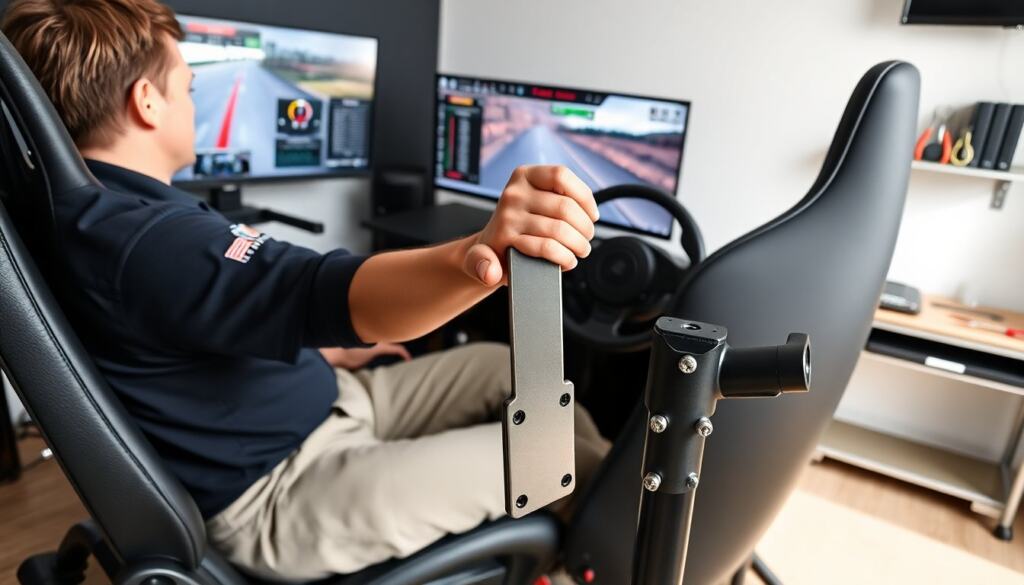
A sim racing handbrake gives drivers a real, repeatable way to control the car in slow-speed slides and rally stages. The sim racing handbrake improves entry angle, weight transfer, and brake modulation for handbrake turns. This guide shows how they work, how to choose one that fits a rig, and how to set and use one for better lap times and consistency.
Key Takeaways
- A sim racing handbrake provides precise control for slow-speed slides and rally turns, enhancing lap times and consistency.
- Choosing the right sim racing handbrake depends on your cockpit space, budget, sensor type, and mounting options to fit your rig and driving style.
- Vertical, horizontal, and eBrake-style handbrakes offer different leverage and feel, so select the design that best suits your sim racing needs.
- Proper installation and calibration of the sim racing handbrake are crucial for accurate input and software compatibility.
- Practice combining the sim racing handbrake with steering and throttle while tuning in-game settings for optimal performance.
- Regular maintenance like cleaning pivot points and checking cables ensures long-term reliability and consistent handbrake function.
Why A Dedicated Handbrake Matters For Sim Racing
A sim racing handbrake gives a different control path than the foot brake. It lets the driver apply brake force with the hand while keeping foot inputs steady. That split control aids in rally slides, drifting, and tight hairpins. A dedicated sim racing handbrake often provides faster, cleaner inputs than a wheel-mounted button or keyboard key, with a physical lever that mirrors real-world ergonomics. The improved modulation and tactile feedback make it easier to learn precise timing for weight transfer and rear traction loss: small, repeatable inputs are what separate practice from consistency. For sim racers focused on rally, drifting, or any discipline that benefits from rear braking, a dedicated handbrake is more than a novelty — it expands the set of techniques you can practice and perfect in the sim.
Types Of Sim Racing Handbrakes
Sim racing handbrake options differ by form factor, sensor technology, and intended use. The main categories are mechanical levers with potentiometers, load-cell style units that measure force, and hydraulic or hybrid assemblies for realism. Potentiometer-based handbrakes are typically more affordable and simple to set up; they give a predictable position-to-input response. Load-cell units measure applied force, which can feel more natural and precise for drivers who want consistent feedback across sessions. Hydraulic systems aim to replicate the feel of a real e-brake and often require more complex maintenance and mounting. Beyond sensors, construction materials and bearing quality affect feel and longevity: steel pivots and sealed bearings last longer under aggressive use than simple bushings.
Vertical, Horizontal, And eBrake-Style Designs
Vertical levers sit next to the seat and mimic rally setups, offering long travel and a strong mechanical advantage that suits progressive modulation and big slides. Horizontal levers mount closer to the cockpit frame or center console and are compact, which helps rigs with limited lateral space while still providing good leverage for parking-brake–style inputs. eBrake-style units use short, fast-throw levers or paddle-like actuators positioned near the wheel for quick taps — they are popular with drift sims where rapid, repeatable inputs are needed. Each design changes hand position, leverage, and the muscle groups you use, which in turn affects how the car responds. When comparing designs, consider how much travel and mechanical advantage you want, how your hand naturally rests while driving, and whether you value realism or quick actuation for competition.
How To Choose The Right Handbrake For Your Setup
Choosing a sim racing handbrake starts by auditing your cockpit: measure available mounting points, clearance around the seat and gearbox area, and how the lever will interfere with steering wheel movement. Next, match sensor type to goals — if you prioritize budget and simple setup, a potentiometer unit will work; if you want consistent, repeatable force-based input, a load cell is better; if you’re pursuing the most realistic feel and have the budget and space, consider hydraulic options. Check compatibility with your wheelbase and the sim platform: some handbrakes present as a direct USB device, others require drivers or wheel software mapping. Evaluate build quality, replaceable parts, and vendor support: a solid mount, replaceable cables or bushings, and serviceable pivots extend usable life. Finally, think about ergonomics — lever angle, handle shape, and throw length — and whether you prefer a soft progressive pull or a short, snappy action for flicks. Comparing several units hands-on, reading user reports on long-term reliability, and factoring in spare-part availability will make the sim racing handbrake choice match both your style and your rig.
Installation, Mounting, And Calibration Guide
Mount the sim racing handbrake to a solid crossbar, dedicated plate, or the rig’s frame to prevent flex that degrades feel. Use the supplied fasteners and thread-lock where recommended, but avoid over-torquing bearings or pivots. Position the lever so your wrist and forearm stay neutral during operation; a too-high or too-low mount forces awkward movements and reduces precision. Secure cables and wiring with clips to prevent chafing. Install any required drivers or firmware before connecting the device to your sim software so the OS recognizes it correctly. Calibration starts in the operating system or wheel software: set the device range, zero point, and any deadzone to remove jitter. In the sim, map the handbrake to the appropriate control and test incrementally — begin with light pulls to confirm linearity, then full pulls to verify maximum input. For load-cell units, configure curve and saturation settings so the in-game brake response matches the real-world feel you expect. If the handbrake is hydraulic, follow the manufacturer’s bleeding procedure and check for leaks after initial use. Finally, lock down the mount and perform a few test runs to make small ergonomic tweaks until the lever feels natural during full lap or stage simulations.
Driving Techniques, Tuning, And Maintenance Tips
Learning to use a sim racing handbrake effectively requires specific drills. Practice threshold pulls off-track to build muscle memory: start with small, controlled pulls while entering slow turns and increase intensity as you learn how the car rotates. Combine handbrake inputs with steering counter-steer and smooth throttle modulation to catch slides and maintain momentum. For rally stages, use the handbrake to initiate tight hairpins or to set the car’s angle for the exit; for drifting, practice brief taps to unsettle the rear without over-rotating. Tuning in-game settings is equally important: adjust brake bias, ABS, and handbrake mapping curve so the sim’s response mirrors what you expect from the physical lever. For load-cell units, tweak saturation and response curves in the wheel or peripheral software to balance sensitivity and usable range. Maintenance keeps the sim racing handbrake consistent — clean and lubricate pivot points as recommended, check fasteners and mount integrity regularly, inspect cables and connectors for wear, and follow bleeding/service intervals for hydraulic systems. Keep a simple log of changes (mounting angle, software curves, and in-game settings) and lap or stage times to track improvements; incremental adjustments and structured practice deliver the biggest gains with a dedicated sim racing handbrake.