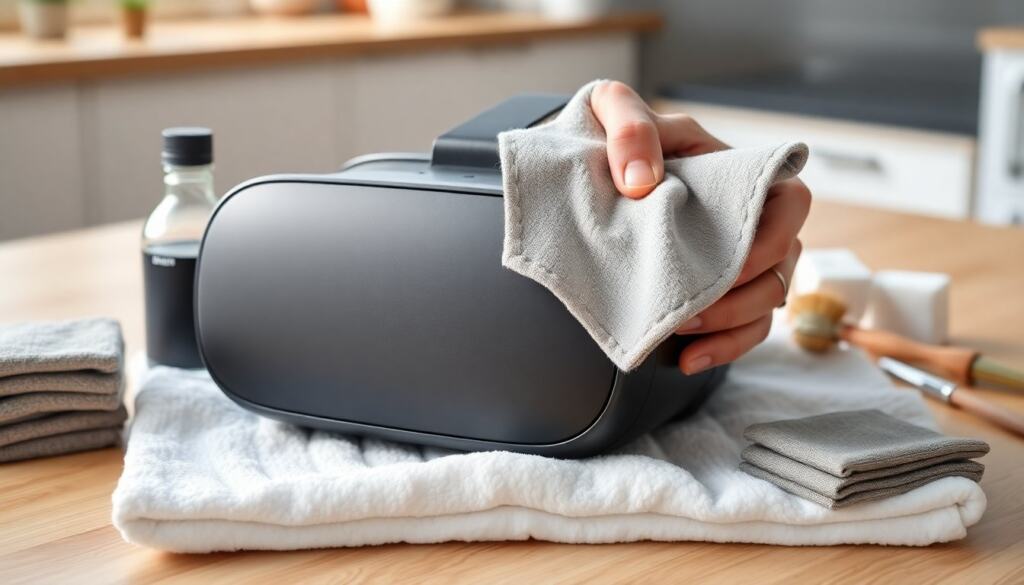
A VR headset can be cleaned safely by using the right tools, gentle techniques, and short regular maintenance sessions to protect lenses, foam, and electronics. Readers will learn what materials to use, a step-by-step lens cleaning routine, how to wash or replace face padding, and safe ways to sanitize straps and exterior surfaces without voiding warranties or scratching optics. The instructions suit common standalone and PC-tethered headsets.
Key Takeaways
- Use a microfiber cloth and 70% isopropyl alcohol to safely clean your VR headset without damaging lenses or electronics.
- Clean lenses gently in a circular motion with a dry microfiber cloth, using distilled water or lens solution only if needed to avoid scratches.
- Remove and hand-wash removable foam pads with mild soap, or replace them regularly if they are non-washable to maintain hygiene and comfort.
- Sanitize straps and exterior surfaces with 70% isopropyl alcohol wipes, avoiding direct application to ports and electrical components to prevent damage.
- Follow the manufacturer’s instructions carefully to avoid voiding warranties and never use harsh chemicals or paper products when cleaning your VR headset.
- Establish a maintenance routine by wiping external parts after heavy use and deep cleaning lenses and pads weekly or monthly depending on usage.
What You Need Before You Start: Tools, Materials, And Safety Tips
Quick Facts
- Use a microfiber cloth and 70% isopropyl alcohol for most cleaning tasks.
- Avoid paper products, canned air near lenses, and strong solvents.
- Remove batteries or power the headset off before cleaning ports.
What You Need
- Microfiber cloths (several), lint-free and soft.
- Lens cleaning solution or distilled water: 70% isopropyl alcohol wipes for non-optical surfaces.
- Soft-bristled brush or lens blower for dust.
- Mild soap and warm water for washable face pads, or replacement pads if disposable.
- Cotton swabs, compressed-air alternatives (blower), and small screwdrivers only if the manual permits.
Safety Tips
- Power the headset off and unplug all cables: remove batteries if removable. This prevents short circuits and accidental input.
- Work in a clean, well-lit area over a soft towel to catch small parts. Keep hair and jewelry away.
- Check the manufacturer’s care instructions first: some warranties are voided by user disassembly. When in doubt, contact support.
Bold the terms above to emphasize the most important items: microfiber cloth and 70% isopropyl alcohol are the primary tools readers should have on hand.
How To Clean Lenses Without Scratching Them
Cleaning lenses carefully preserves clarity and prevents permanent damage. Follow these numbered steps exactly, each is short and deliberate.
- Power off and place the headset lens-side up on a soft towel to avoid pressure on the optics.
- Use a blower or soft brush to remove loose dust: don’t blow with the mouth, which adds moisture.
- Gently wipe with a dry microfiber cloth in a circular motion from the center outward to lift smudges.
- If smudges remain, dampen a corner of the cloth with distilled water or lens solution and repeat the circular wipe: avoid spraying directly onto the lens.
- For stubborn marks, use a dedicated lens wipe made for glasses: one wipe, one direction, then dry with a clean section of cloth.
- Never use household glass cleaners, paper towels, or tissues, they can abrade coatings and leave lint.
- Inspect lenses under a light and repeat steps 2–5 if needed, always using light pressure.
Why this works: circular, center-out motion reduces the chance of dragging grit across the coating, and using dedicated optical materials prevents chemical or physical damage. Bold important phrase: microfiber cloth.
Cleaning The Face Mask, Foam Inserts, And Head Straps
Face masks and foam inserts collect sweat and oils and need regular attention to stay hygienic and comfortable.
Removable pads
- Remove detachable face covers and washable foam following the headset manual. Hand-wash covers in warm water with mild soap, rinse thoroughly, and air-dry flat to keep their shape.
- If foam inserts are not washable, replace them periodically: many manufacturers sell replacements designed to snap in without tools.
Non-removable pads
- Lightly dampen a microfiber cloth with warm soapy water and blot, don’t soak, then follow with a dry cloth to remove moisture.
- For persistent odors, use a little baking soda on a dry cloth to absorb smells, then brush off after several hours.
Head straps
- Remove or loosen straps if the design allows. Hand-wash fabric straps with mild soap and let them air-dry: leather or faux-leather straps should be wiped with a damp cloth and conditioned sparingly.
Tips and cautions
- Avoid bleach, strong detergents, and machine dryers: heat and chemicals can warp plastics and degrade foam glue.
- Replace foam every few months if used heavily, or sooner for shared headsets. Bold key items: removable pads and replace.
Sanitizing Electronics, Ports, And Exterior Surfaces (Dos And Don’ts)
Dos
- Use 70% isopropyl alcohol wipes or a cloth lightly dampened with 70% alcohol to sanitize plastic exterior surfaces: avoid applying liquid directly to ports or seams.
- Wipe controllers and straps regularly, especially after shared use. Let surfaces dry fully before using the headset again.
- Use compressed-air alternatives (hand blower) to clear dust from vents and ports: hold the headset at an angle so debris falls out rather than further in.
Don’ts
- Don’t use bleach, hydrogen peroxide, or household cleaners on electronics, these can remove coatings and damage materials.
- Don’t insert wet swabs or liquids into ports or the microphone: moisture can short circuits and corrode contacts.
- Avoid opening sealed sections unless the manual permits it: internal cleaning risks damage and may void warranty.
Practical maintenance schedule
- Quick wipe of exterior and controllers after each heavy session.
- Deep clean lenses and removable pads weekly for frequent users: monthly for light users.
Bold a safety term: 70% isopropyl alcohol is the recommended sanitizer for non-optical surfaces.
How to Clean Your VR Headset: Frequently Asked Questions
What is the best way to clean the lenses of a VR headset without scratching them?
Power off the headset and place it lens-side up on a soft towel. Use a blower or soft brush to remove dust, then gently wipe lenses in a circular motion with a dry microfiber cloth from the center outward. If needed, dampen the cloth with distilled water or lens solution for stubborn smudges.
How often should I clean the face padding and foam inserts on my VR headset?
For frequent users, clean removable face covers and foam inserts weekly by hand-washing with mild soap and air-drying flat. Replace non-washable foam every few months, or sooner if shared, to maintain hygiene and comfort.
Can I use household cleaners or paper towels to clean my VR headset lenses?
No, avoid household glass cleaners, paper towels, or tissues on VR lenses as they can scratch coatings and leave lint. Use only microfiber cloths and dedicated lens cleaning solutions or distilled water to protect the optics.
What are the recommended materials to sanitize the exterior and straps of a VR headset safely?
Use 70% isopropyl alcohol wipes or a cloth lightly dampened with 70% alcohol to sanitize plastic exteriors and fabric straps. For leather straps, wipe with a damp cloth and condition sparingly. Avoid applying liquids directly to ports or seams.
Why should I power off and unplug my VR headset before cleaning it?
Powering off and unplugging the headset, including removing batteries if possible, prevents short circuits and accidental inputs while cleaning. This safety step protects both you and your VR device during maintenance.
How can I manage odors on non-removable face pads of a VR headset?
Lightly blot non-removable face pads with a damp microfiber cloth and dry thoroughly. For persistent odors, sprinkle baking soda on the dry pad, let it sit for several hours, then brush off to absorb smells without damaging the material.